RemoteShuttr1.0
Publisher Description
RemoteShuttr allow you to take a picture by remote shutter.
For example, you can use iPhone as a shutter for iPad2 camera.
====== Features =====
- Take a picture by remote shutter.
- Connect two iOS devices via Bluetooth.
- Toggle Front/Rear camera.
- Show preview image in shutter mode device.
====== How to use ======
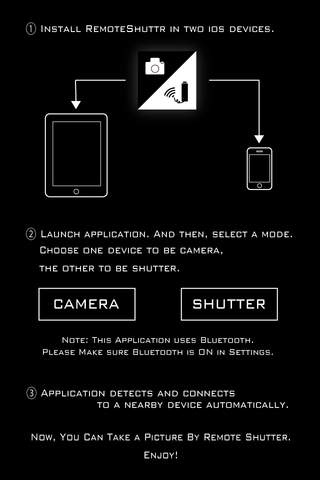
1. Install RemoteShuttr in two iOS devices.
2. Launch application. And then, select a mode.
Choose one device to be camera, the other to be shutter.
3. Application detects and connects to a nearby device automatically.
Now, you can take a picture by remote shutter. Enjoy!
===== Note =====
- RemoteShuttr uses Bluetooth. Please make sure Bluetooth is ON in Settings.
- Photo is saved in camera mode device.
Requires iOS 4.0 or later. Compatible with iPhone, iPad, and iPod touch.
About RemoteShuttr
The company that develops RemoteShuttr is Hideyoshi Moriya. The latest version released by its developer is 1.0.
To install RemoteShuttr on your iOS device, just click the green Continue To App button above to start the installation process. The app is listed on our website since 2011-05-11 and was downloaded 14 times. We have already checked if the download link is safe, however for your own protection we recommend that you scan the downloaded app with your antivirus. Your antivirus may detect the RemoteShuttr as malware if the download link is broken.
How to install RemoteShuttr on your iOS device:
- Click on the Continue To App button on our website. This will redirect you to the App Store.
- Once the RemoteShuttr is shown in the iTunes listing of your iOS device, you can start its download and installation. Tap on the GET button to the right of the app to start downloading it.
- If you are not logged-in the iOS appstore app, you'll be prompted for your your Apple ID and/or password.
- After RemoteShuttr is downloaded, you'll see an INSTALL button to the right. Tap on it to start the actual installation of the iOS app.
- Once installation is finished you can tap on the OPEN button to start it. Its icon will also be added to your device home screen.
